
214 lines
7.1 KiB
Markdown
214 lines
7.1 KiB
Markdown
# Torsearch
|
|
Torsearch is a "media acquisition tool" that works strictly with Real Debrid. Torsearch makes it easy to search for
|
|
and download your favorite movies and tv shows. You can think of it like Stremio, but without the streaming. Why the
|
|
comparison to Stremio? That's because Torsearch uses the same source for media files that Stremio uses: Torrentio
|
|
(hence the name: Torsearch).
|
|
|
|
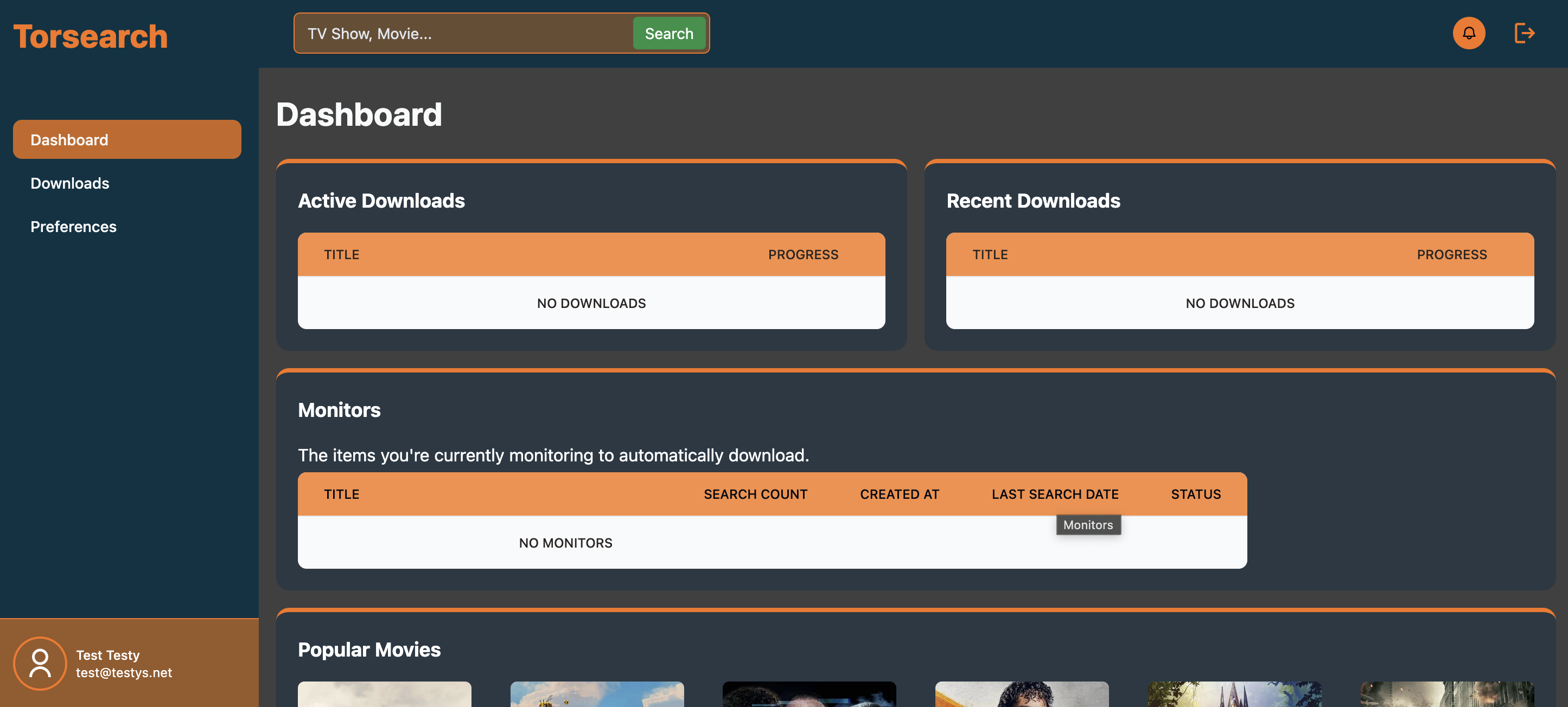
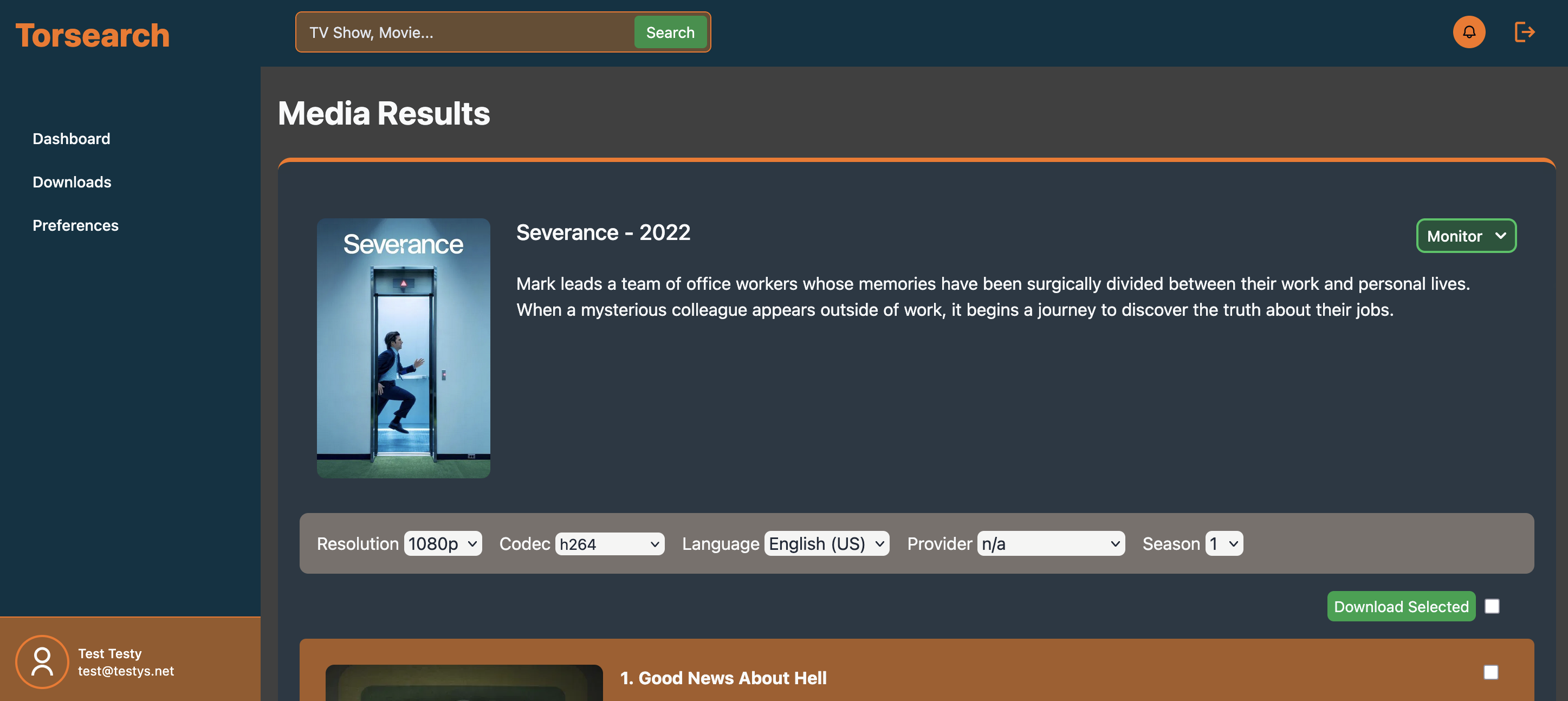
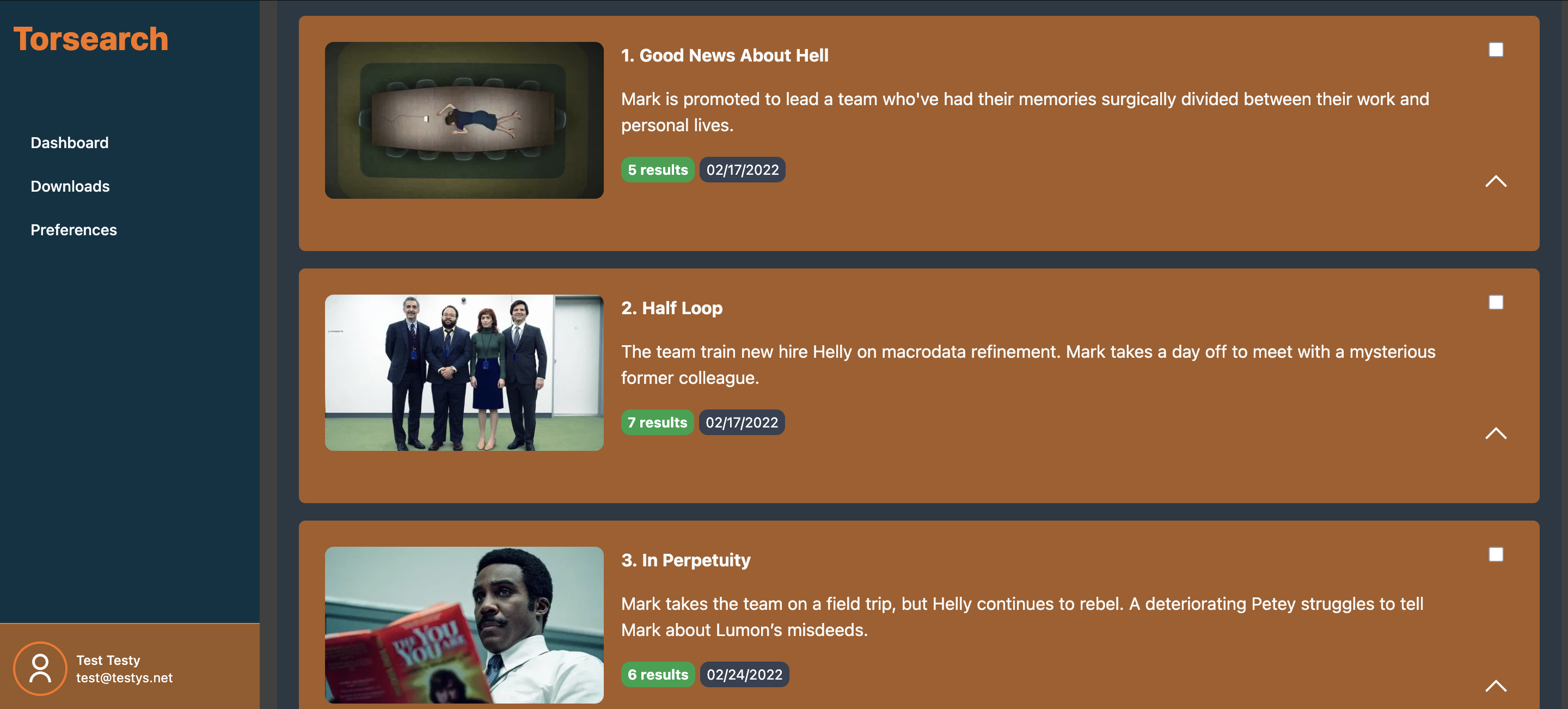
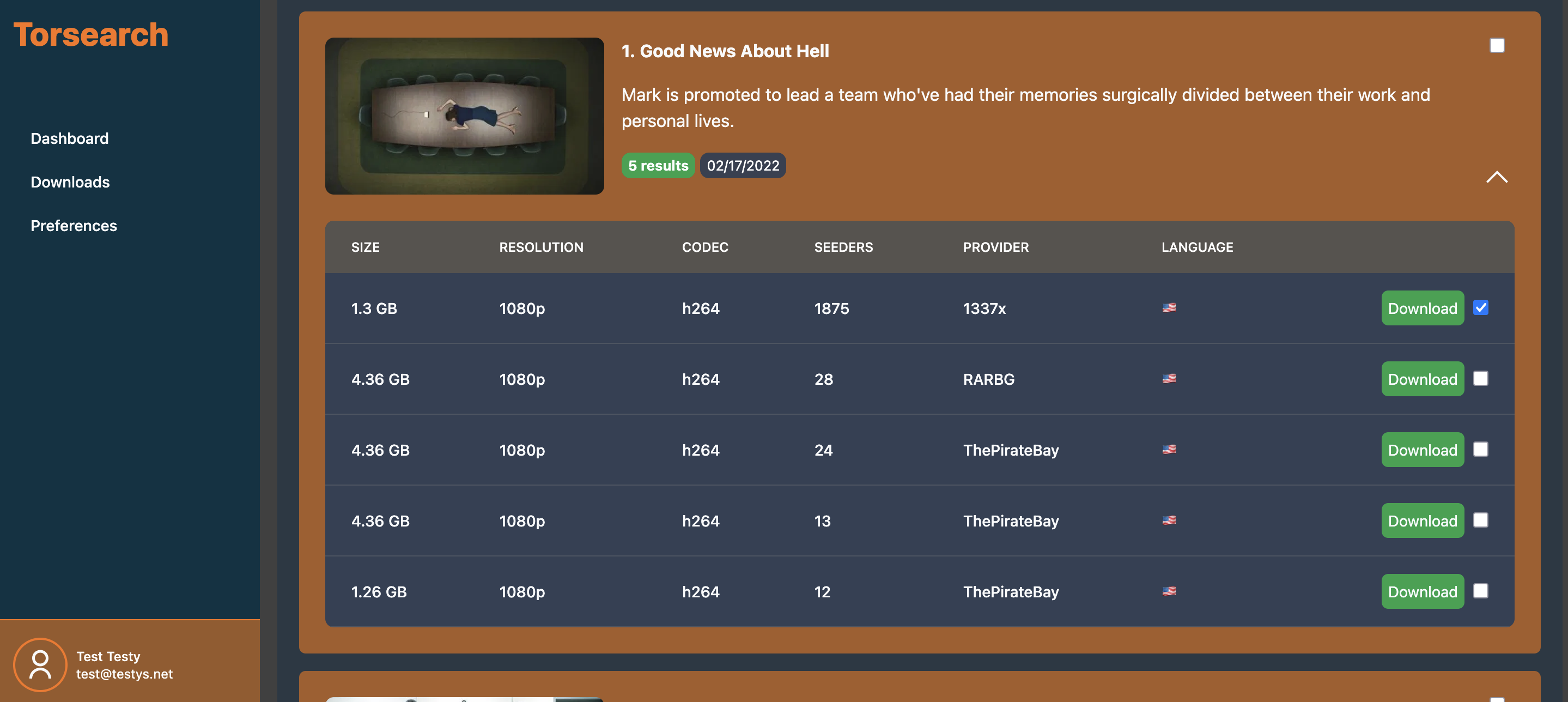
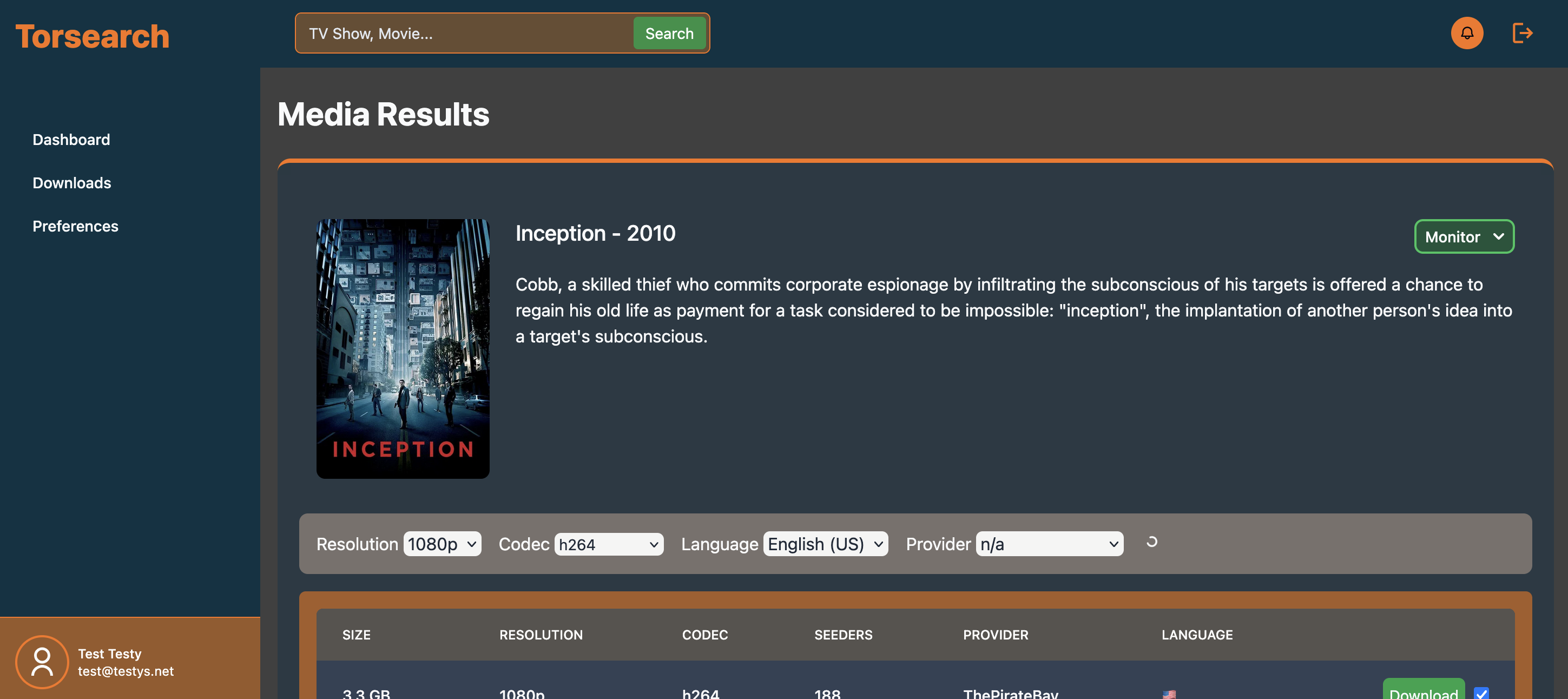
## Pics or didn't happen
|
|
|
|
|
|
|
|
|
|
|
|
|
|
## Features
|
|
- Search for Movies & TV Shows by their name
|
|
- Download directly to your NAS
|
|
- Monitor TV Shows for new episodes and automatically download them
|
|
- Discover new media
|
|
- OIDC
|
|
|
|
|
|
## Getting Started
|
|
For all pieces to work, you will need to serve the application over HTTPS. Running behind an SSL terminating
|
|
reverse proxy is the recommended approach.
|
|
|
|
1. Create a `compose.yml` file
|
|
```yaml
|
|
services:
|
|
### The app contains the application and web server ###
|
|
app:
|
|
image: code.caldwell.digital/home/torsearch-app:${TAG}
|
|
ports:
|
|
- "${WEB_PORT}:80"
|
|
env_file: .env
|
|
depends_on:
|
|
database:
|
|
condition: service_healthy
|
|
volumes:
|
|
- ${LOCAL_MOVIES_DIR}:/var/download/movies
|
|
- ${LOCAL_TVSHOWS_DIR}:/var/download/tvshows
|
|
- mercure_data:/data
|
|
- mercure_config:/config
|
|
|
|
|
|
### The worker handles downloads and async jobs ###
|
|
worker:
|
|
image: code.caldwell.digital/home/torsearch-worker:${TAG}
|
|
volumes:
|
|
- ${LOCAL_MOVIES_DIR}:/var/download/movies
|
|
- ${LOCAL_TVSHOWS_DIR}:/var/download/tvshows
|
|
env_file: .env
|
|
depends_on:
|
|
- app
|
|
|
|
|
|
### The scheduler processes monitored media ###
|
|
scheduler:
|
|
image: code.caldwell.digital/home/torsearch-scheduler:${TAG}
|
|
volumes:
|
|
- ${LOCAL_MOVIES_DIR}:/var/download/movies
|
|
- ${LOCAL_TVSHOWS_DIR}:/var/download/tvshows
|
|
env_file: .env
|
|
depends_on:
|
|
- app
|
|
|
|
|
|
#!! If using your own database, this can be omitted !!#
|
|
database:
|
|
image: mariadb:10.11.2
|
|
volumes:
|
|
- mysql:/var/lib/mysql
|
|
env_file: .env
|
|
healthcheck:
|
|
test: ["CMD", "mysqladmin", "ping"]
|
|
interval: 5s
|
|
timeout: 5s
|
|
retries: 10
|
|
|
|
|
|
#!! If using your own redis, this can be omitted !!#
|
|
redis:
|
|
image: redis:latest
|
|
volumes:
|
|
- redis_data:/data
|
|
command: redis-server --maxmemory 512MB
|
|
restart: unless-stopped
|
|
|
|
|
|
volumes:
|
|
mysql:
|
|
mercure_config:
|
|
mercure_data:
|
|
redis_data:
|
|
|
|
```
|
|
|
|
2. Create a `.env` file
|
|
```dotenv
|
|
###################
|
|
# Torsearch #
|
|
###################
|
|
# The version of Torsearch to run. Docker will this tag.
|
|
TAG=latest
|
|
|
|
# The port for which the web server (app container) will
|
|
# serve the application on the host.
|
|
WEB_PORT=8004
|
|
|
|
# The host directories where your media is stored.
|
|
# If you would like to use a docker driver for a network
|
|
# share, update the compose.yml file to reflect that.
|
|
# These are passed into the compose file as bind mounts.
|
|
LOCAL_MOVIES_DIR="./movies"
|
|
LOCAL_TVSHOWS_DIR="./tvshows"
|
|
|
|
# Set the timezone you're in. This helps render monitored items correctly on the calendar
|
|
TZ=America/Chicago
|
|
|
|
###################
|
|
# Symfony #
|
|
###################
|
|
# The external URL of the application where it can be reached by a browser.
|
|
APP_URL="<enter url>"
|
|
# Requried by Symfony Framework. Feel free to change.
|
|
APP_SECRET="70169beadfbc8101c393cbfbba27a313"
|
|
# Change to 'dev' to show logs in the browser.
|
|
APP_ENV=prod
|
|
|
|
|
|
###################
|
|
# Mercure #
|
|
###################
|
|
# Mercure is a Caddy module built into the webserver
|
|
# that facilitates the usage of websockets to transmit
|
|
# real time data (download progress, etc.)
|
|
# TBH, I've only run into issues when changing these. If
|
|
# you have problems after changing them, just revert them.
|
|
MERCURE_JWT_SECRET="!ChangeThisMercureHubJWTSecretKey!"
|
|
MERCURE_PUBLISHER_JWT_KEY="!ChangeThisMercureHubJWTSecretKey!"
|
|
MERCURE_SUBSCRIBER_JWT_KEY="!ChangeThisMercureHubJWTSecretKey!"
|
|
|
|
|
|
###################
|
|
# Database #
|
|
###################
|
|
# Use the DATABASE_URL below to use the MariaDB container
|
|
# provided in the example.compose.yml file, or remove this
|
|
# line and fill in the details of your own MySQL/MariaDB server
|
|
MYSQL_USER=app
|
|
MYSQL_PASSWORD="P@ssword123"
|
|
MYSQL_DATABASE=app
|
|
MYSQL_HOST=database
|
|
MYSQL_RANDOM_ROOT_PASSWORD=true
|
|
DATABASE_URL="mysql://${MYSQL_USER}:${MYSQL_PASSWORD}@${MYSQL_HOST}:3306/${MYSQL_DATABASE}?serverVersion=10.11.2-MariaDB&charset=utf8mb4"
|
|
|
|
|
|
###################
|
|
# Real Debrid #
|
|
###################
|
|
# Enter your Real Debrid API key is passed to Torrentio to retrieve download options
|
|
REAL_DEBRID_KEY="<enter real debrid api key>"
|
|
|
|
|
|
###################
|
|
# Redis #
|
|
###################
|
|
# Use your own Redis instance or use the below value to use the
|
|
# container included in the example compose.yml file.
|
|
REDIS_HOST="redis://redis"
|
|
|
|
|
|
###################
|
|
# Auth #
|
|
###################
|
|
# Options: form_login, oidc, or ldap (experimental)
|
|
# Fill the rest of the configuration based on your choice here
|
|
# No additional config is required for form_login
|
|
AUTH_METHOD=form_login
|
|
|
|
|
|
### OIDC ###
|
|
# To use OIDC, set the AUTH_METHOD to oidc and fill in the following properties
|
|
#OIDC_WELL_KNOWN_URL=
|
|
#OIDC_CLIENT_ID=
|
|
#OIDC_CLIENT_SECRET=
|
|
# Allows you to skip the login page and directly rely on your IdP for auth.
|
|
#OIDC_BYPASS_FORM_LOGIN=
|
|
|
|
```
|
|
|
|
3. Enter the `APP_URL` in the .env file
|
|
4. Enter the `REAL_DEBRID_KEY` in the .env file
|
|
5. Enter a new `WEB_PORT` if the default doesn't work for you
|
|
4. Run `docker compose up -d`
|
|
4. Visit the app in the browser
|
|
5. Create your first user
|
|
6. Visit the Preferences page to set your filter. This filter is used whenever you don't choose a specific file to
|
|
download (e.g. downloading via Monitor or clicking the "Download Season", "Download Selected", or "Download Episode" buttons).
|
|
7. Start downloading media!
|
|
|
|
## Having issues?
|
|
Submit an issue in the repo, and I'll try to address it as soon as possible. I do have a full-time job and family, so my
|
|
time is limited, but I'll do my best!
|
|
|
|
## Notes
|
|
This is my first contribution to open-source, the community that's given me so much over the years!
|
|
This project has been my personal hobby project for the last 1.5 years. I've written and re-written it several times.
|
|
It's been my testing ground for trying new things, so if the code looks like shit, my bad. I'm a PHP developer by day and
|
|
tinkerer by night - this was my first go with Symfony/Twig components, tailwind, the Symfony RICH bundle, and a lot more.
|
|
At some point, I'll put together a contribution guide, so others can hack on it too.
|
|
|
|
No AI was used for development (only to generate a list of countries with their flag emojis). If the code is bad, it's my fault.
|
|
|