
Torsearch
Torsearch is a "media acquisition tool" that works strictly with Real Debrid. Torsearch makes it easy to search for and download your favorite movies and tv shows. You can think of it like Stremio, but without the streaming. Why the comparison to Stremio? That's because Torsearch uses the same source for media files that Stremio uses: Torrentio (hence the name: Torsearch).
Pics or didn't happen
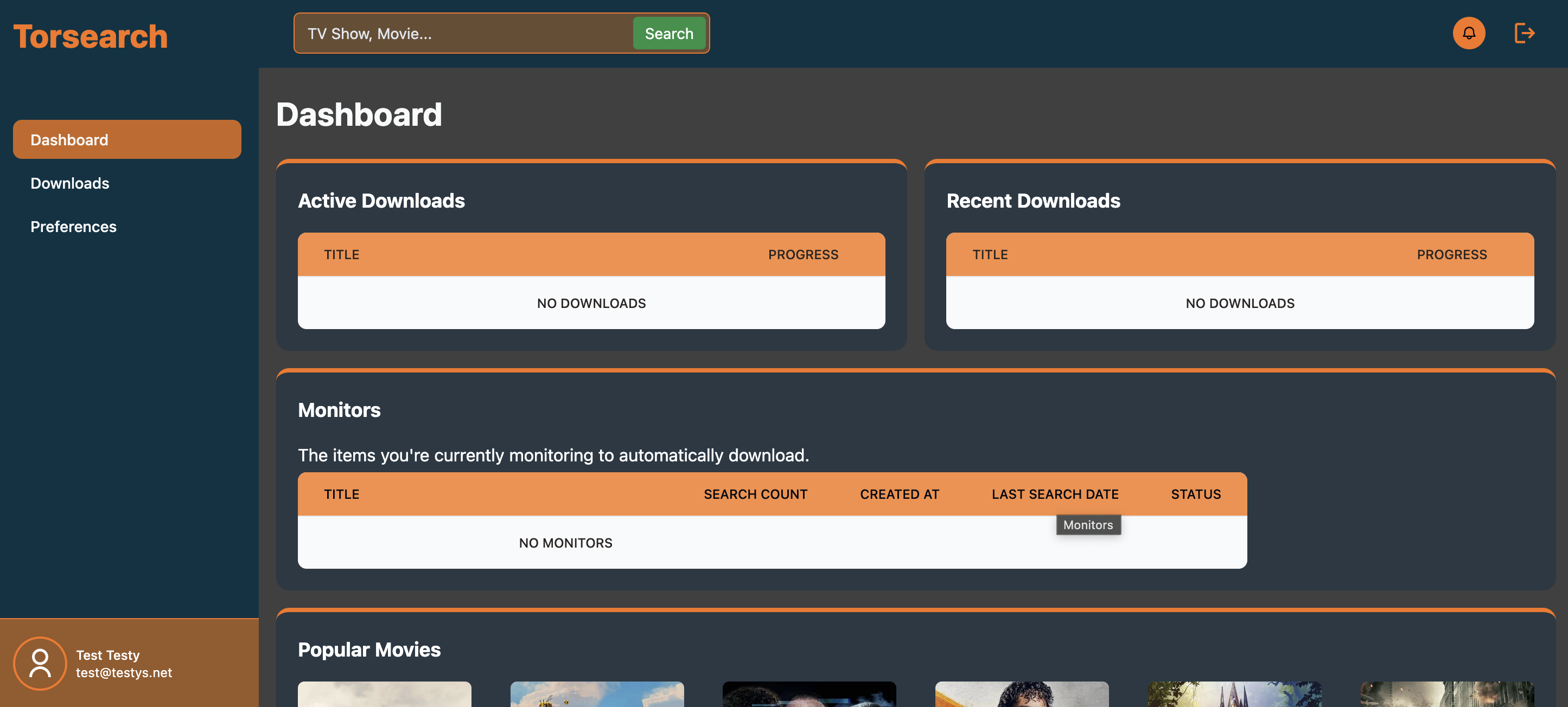
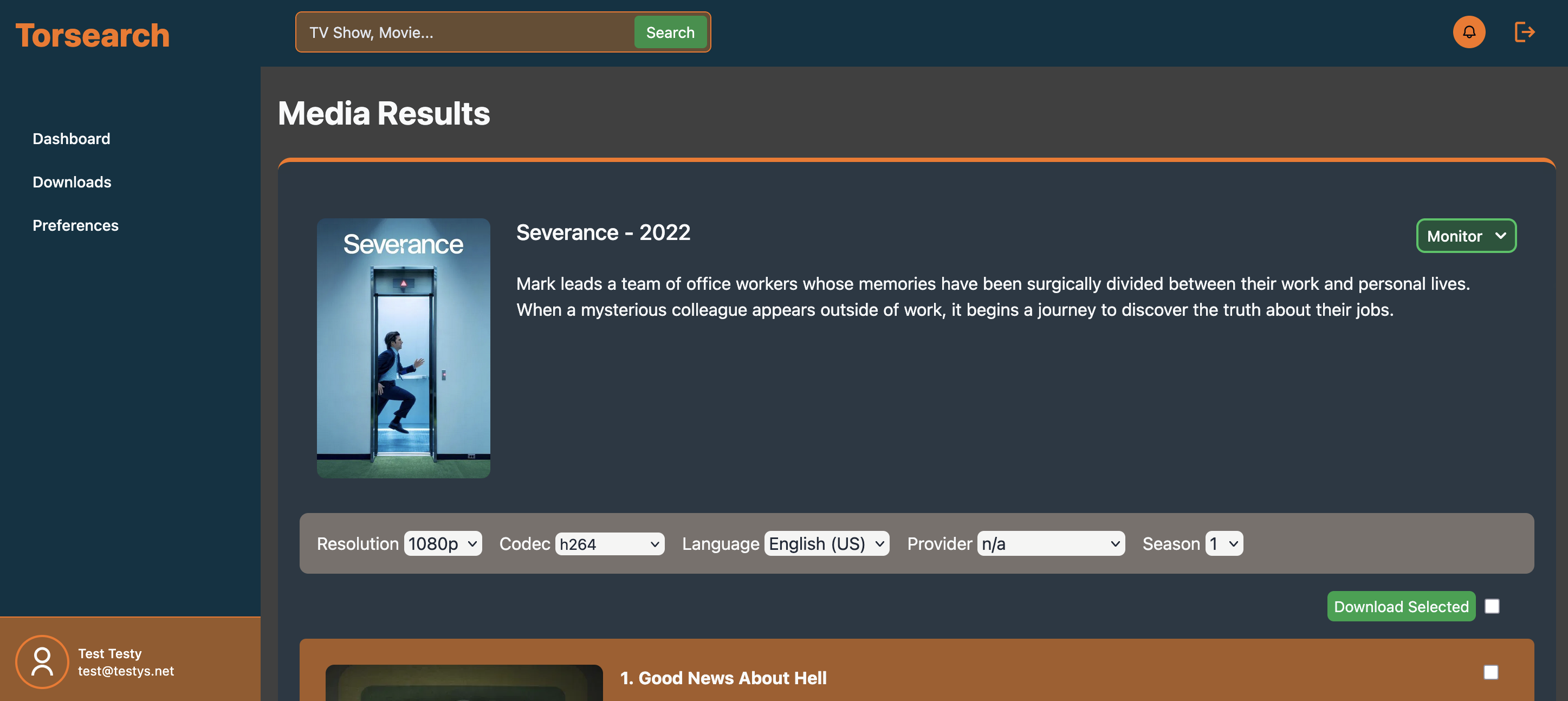
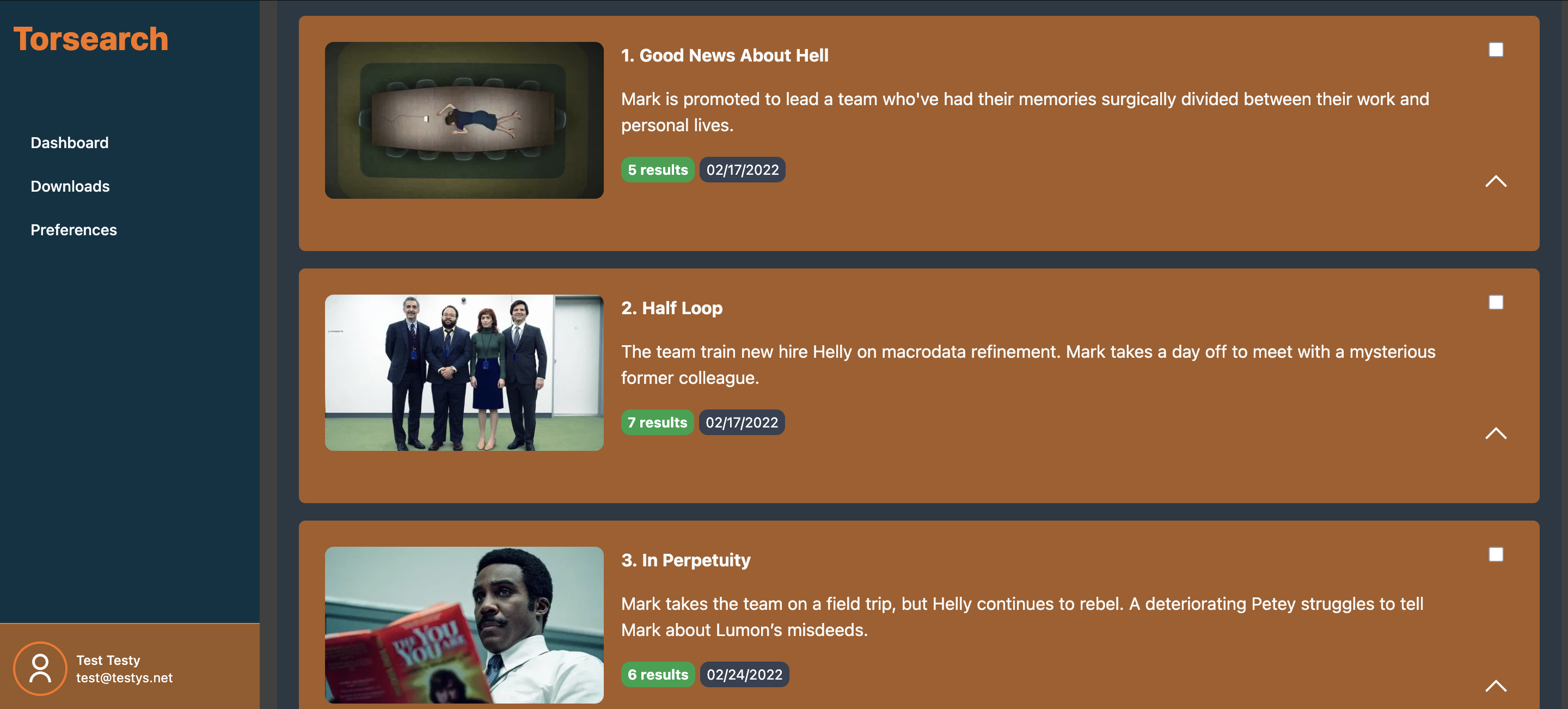
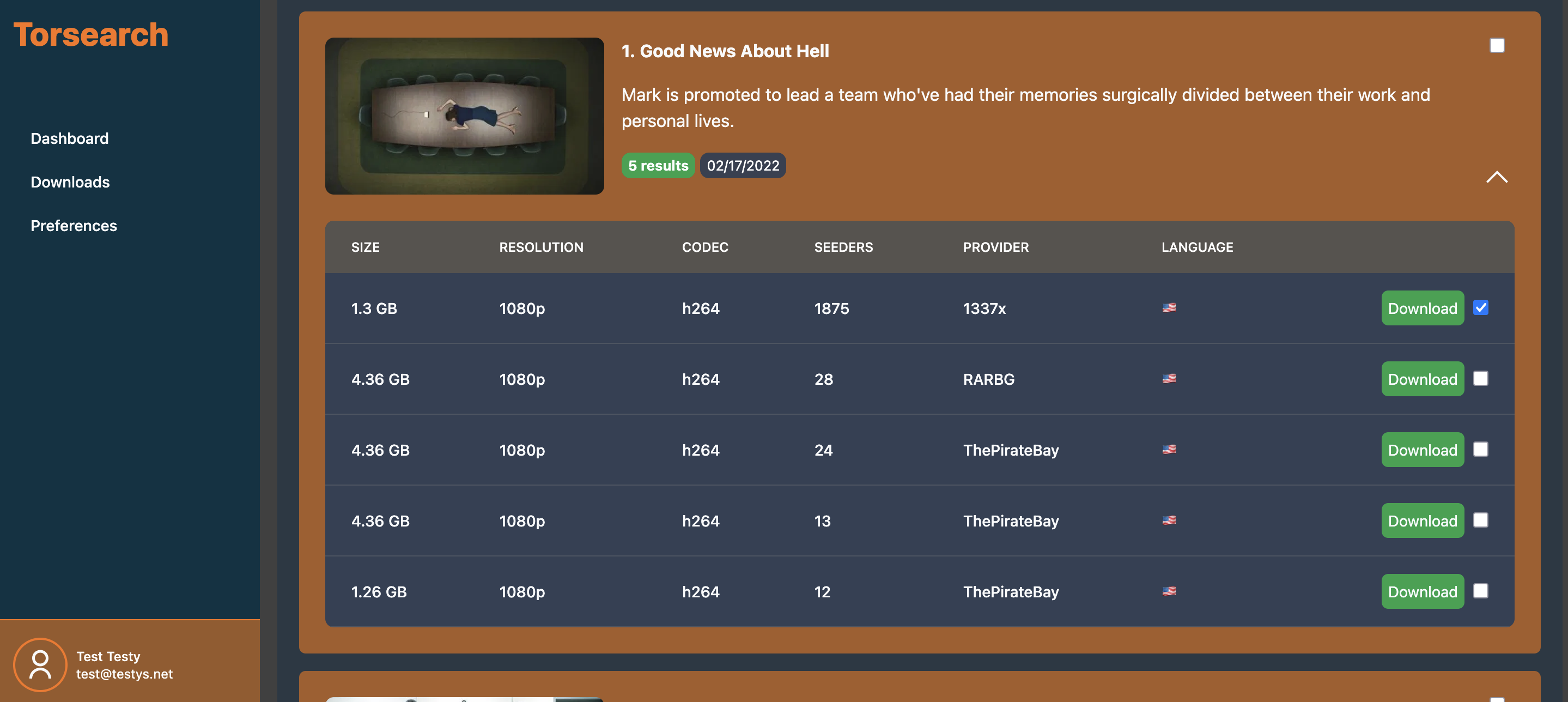
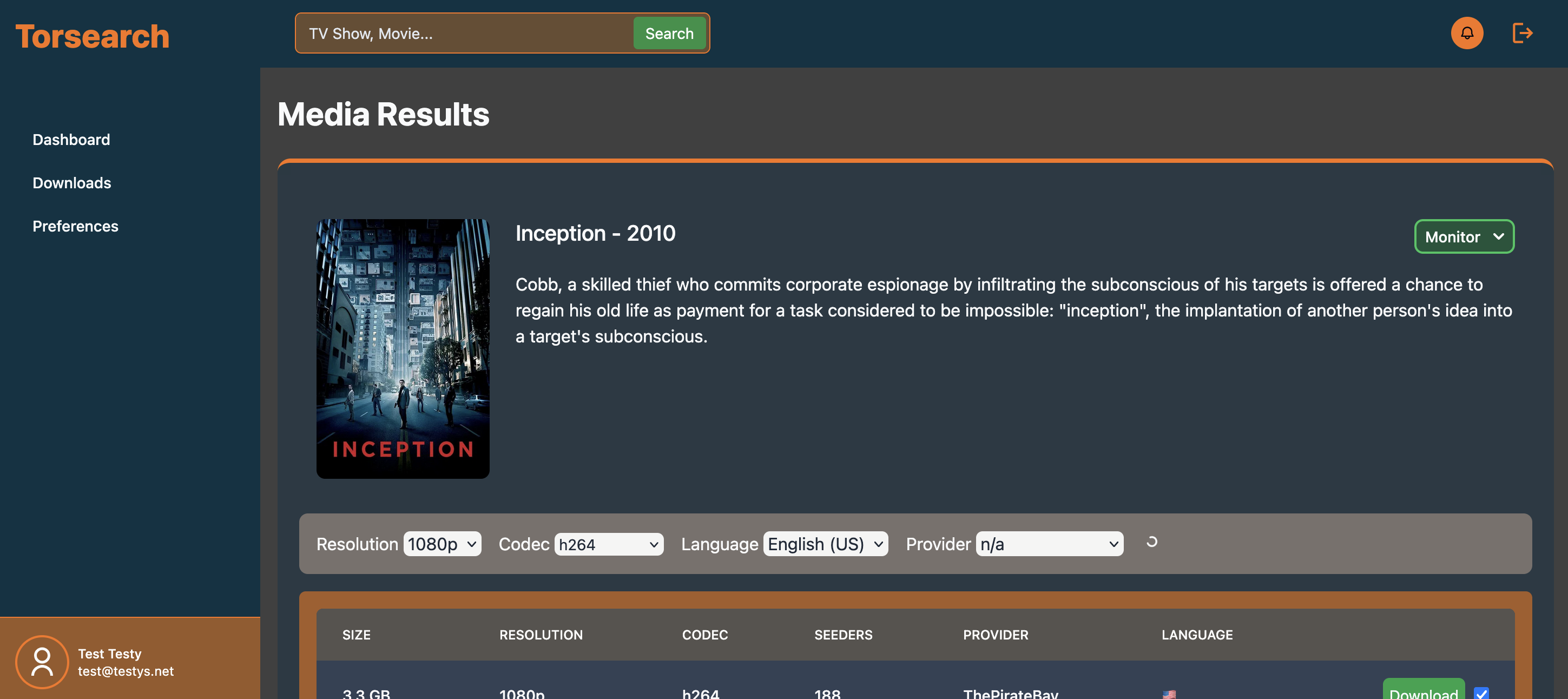
Features
- Search for Movies & TV Shows by their name
- Download directly to your NAS
- Monitor TV Shows for new episodes and automatically download them
- Discover new media
- OIDC
Getting Started
For all pieces to work, you will need to serve the application over HTTPS. Running behind an SSL terminating reverse proxy is the recommended approach.
- Create a
compose.ymlfile
services:
  ### The app contains the application and web server ###
  app:
    image: code.caldwell.digital/home/torsearch-app:${TAG}
    ports:
      - "${WEB_PORT}:80"
    env_file: .env
    depends_on:
      database:
        condition: service_healthy
    volumes:
      - ${LOCAL_MOVIES_DIR}:/var/download/movies
      - ${LOCAL_TVSHOWS_DIR}:/var/download/tvshows
      - mercure_data:/data
      - mercure_config:/config


  ### The worker handles downloads and async jobs ###
  worker:
    image: code.caldwell.digital/home/torsearch-worker:${TAG}
    volumes:
      - ${LOCAL_MOVIES_DIR}:/var/download/movies
      - ${LOCAL_TVSHOWS_DIR}:/var/download/tvshows
    env_file: .env
    depends_on:
      - app


  ### The scheduler processes monitored media ###
  scheduler:
    image: code.caldwell.digital/home/torsearch-scheduler:${TAG}
    volumes:
      - ${LOCAL_MOVIES_DIR}:/var/download/movies
      - ${LOCAL_TVSHOWS_DIR}:/var/download/tvshows
    env_file: .env
    depends_on:
      - app


  #!! If using your own database, this can be omitted !!#
  database:
    image: mariadb:10.11.2
    volumes:
      - mysql:/var/lib/mysql
    env_file: .env
    healthcheck:
      test: ["CMD", "mysqladmin", "ping"]
      interval: 5s
      timeout: 5s
      retries: 10


  #!! If using your own redis, this can be omitted !!#
  redis:
    image: redis:latest
    volumes:
      - redis_data:/data
    command: redis-server --maxmemory 512MB
    restart: unless-stopped


volumes:
  mysql:
  mercure_config:
  mercure_data:
  redis_data:
- Create a
.envfile
###################
#    Torsearch    #
###################
# The version of Torsearch to run. Docker will this tag.
TAG=latest

# The port for which the web server (app container) will
# serve the application on the host.
WEB_PORT=8004

# The host directories where your media is stored.
# If you would like to use a docker driver for a network
# share, update the compose.yml file to reflect that.
# These are passed into the compose file as bind mounts.
LOCAL_MOVIES_DIR="./movies"
LOCAL_TVSHOWS_DIR="./tvshows"

# Set the timezone you're in. This helps render monitored items correctly on the calendar
TZ=America/Chicago

###################
#     Symfony     #
###################
# The external URL of the application where it can be reached by a browser. Should start with https://
APP_URL="<enter url>"
# Requried by Symfony Framework. Feel free to change.
APP_SECRET="70169beadfbc8101c393cbfbba27a313"
# Change to 'dev' to show logs in the browser.
APP_ENV=prod


###################
#     Mercure     #
###################
# Mercure is a Caddy module built into the webserver
# that facilitates the usage of websockets to transmit
# real time data (download progress, etc.)
# TBH, I've only run into issues when changing these. If
# you have problems after changing them, just revert them.
MERCURE_JWT_SECRET="!ChangeThisMercureHubJWTSecretKey!"
MERCURE_PUBLISHER_JWT_KEY="!ChangeThisMercureHubJWTSecretKey!"
MERCURE_SUBSCRIBER_JWT_KEY="!ChangeThisMercureHubJWTSecretKey!"


###################
#    Database     #
###################
# Use the DATABASE_URL below to use the MariaDB container
# provided in the example.compose.yml file, or remove this
# line and fill in the details of your own MySQL/MariaDB server
MYSQL_USER=app
MYSQL_PASSWORD="P@ssword123"
MYSQL_DATABASE=app
MYSQL_HOST=database
MYSQL_RANDOM_ROOT_PASSWORD=true
DATABASE_URL="mysql://${MYSQL_USER}:${MYSQL_PASSWORD}@${MYSQL_HOST}:3306/${MYSQL_DATABASE}?serverVersion=10.11.2-MariaDB&charset=utf8mb4"


###################
#   Real Debrid   #
###################
# Enter your Real Debrid API key which is passed to Torrentio to retrieve download options
REAL_DEBRID_KEY="<enter real debrid api key>"


###################
#      Redis      #
###################
# Use your own Redis instance or use the below value to use the
# container included in the example compose.yml file.
REDIS_HOST="redis://redis"


###################
#      Auth       #
###################
# Options: form_login, oidc, or ldap (experimental)
# Fill the rest of the configuration based on your choice here
# No additional config is required for form_login
AUTH_METHOD=form_login


### OIDC ###
# To use OIDC, set the AUTH_METHOD to oidc and fill in the following properties
#OIDC_WELL_KNOWN_URL=
#OIDC_CLIENT_ID=
#OIDC_CLIENT_SECRET=
# Allows you to skip the login page and directly rely on your IdP for auth.
#OIDC_BYPASS_FORM_LOGIN=
- Enter the
APP_URLin the .env file - Enter the
REAL_DEBRID_KEYin the .env file - Enter a new
WEB_PORTif the default doesn't work for you - Run
docker compose up -d - Visit the app in the browser
- Create a user
- Visit the Preferences page to set your filter. This filter is used whenever you don't choose a specific file to download (e.g. downloading via Monitor or clicking the "Download Season", "Download Selected", or "Download Episode" buttons).
- Start downloading media!
Having issues?
Submit an issue in the repo, and I'll try to address it as soon as possible. I do have a full-time job and family, so my time is limited, but I'll do my best!
Notes
This is my first contribution to open-source, the community that's given me so much over the years! This project has been my personal hobby project for the last 1.5 years. I've written and re-written it several times. It's been my testing ground for trying new things, so if the code looks like shit, my bad. I'm a PHP developer by day and tinkerer by night - this was my first go with Symfony/Twig components, tailwind, the Symfony RICH bundle, and a lot more. At some point, I'll put together a contribution guide, so others can hack on it too.
No AI was used for development (only to generate a list of countries with their flag emojis). If the code is bad, it's my fault.
Disclaimer
Torsearch does not host any media; it only combines API results from multiple sources to make browsing them easier. Torsearch is not affiliated with Real Debrid, Torrentio, or TMDB.